VLA Pipeline
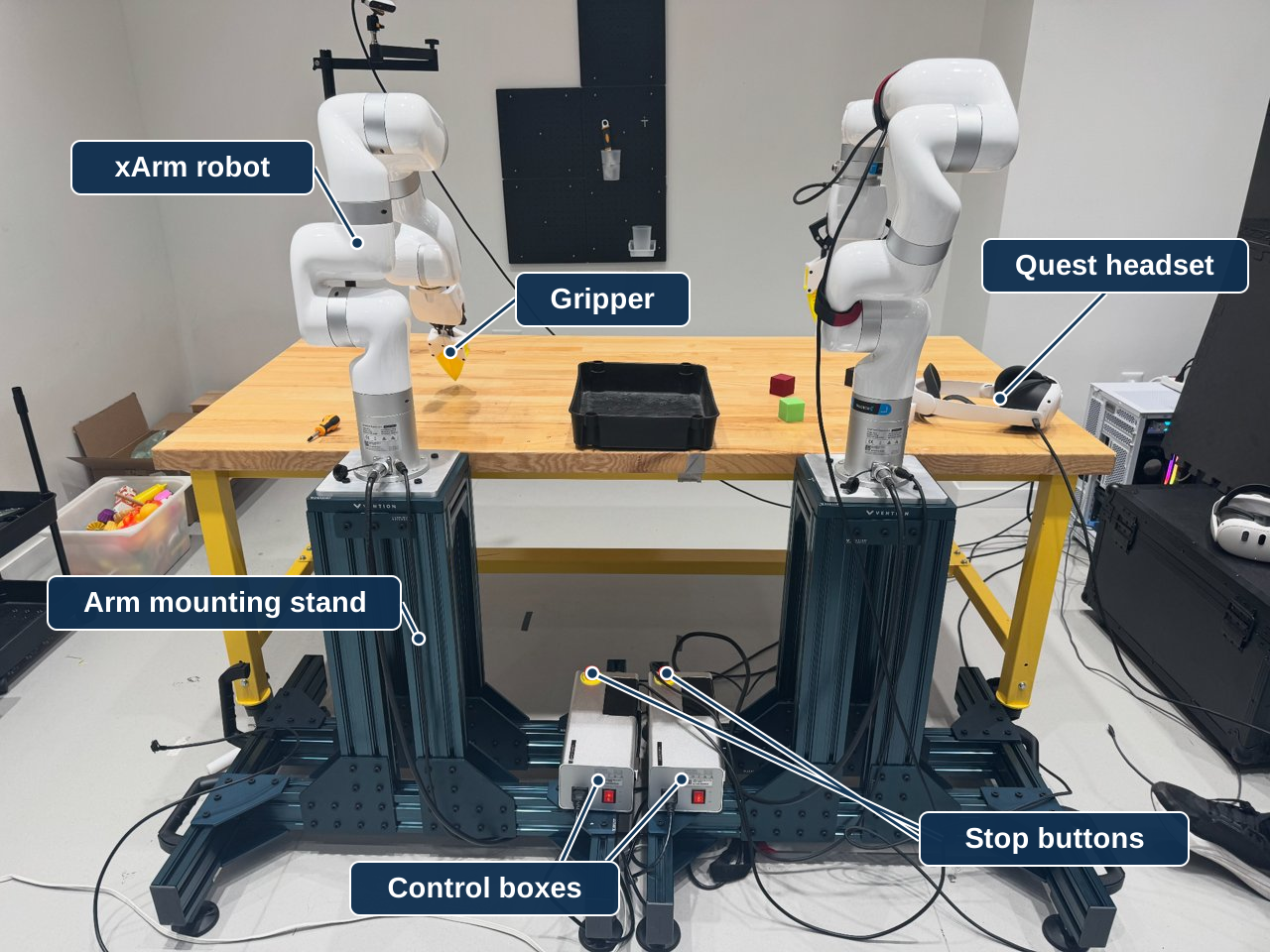
A tabletop station where an operator uses VR headsets to control two xArm 7 robots. Wrist and scene cameras show the grippers and work area. It uses the shared workstation.
Goal: assemble and identify both rigs, arrange clear camera views, and have an operator check the connections and stop controls.
What you need
Core equipment: 2 xArm 7 robots with control boxes and grippers · 2 Vention stands · 2 D405 wrist cameras · 3 D415 scene cameras · 2 Quest 3 headsets with 4 controllers · work table, tray, and task tubs.
Open items: scene-camera stand model, a connector check on the pending camera cables, and print settings for the gripper fingers. Details
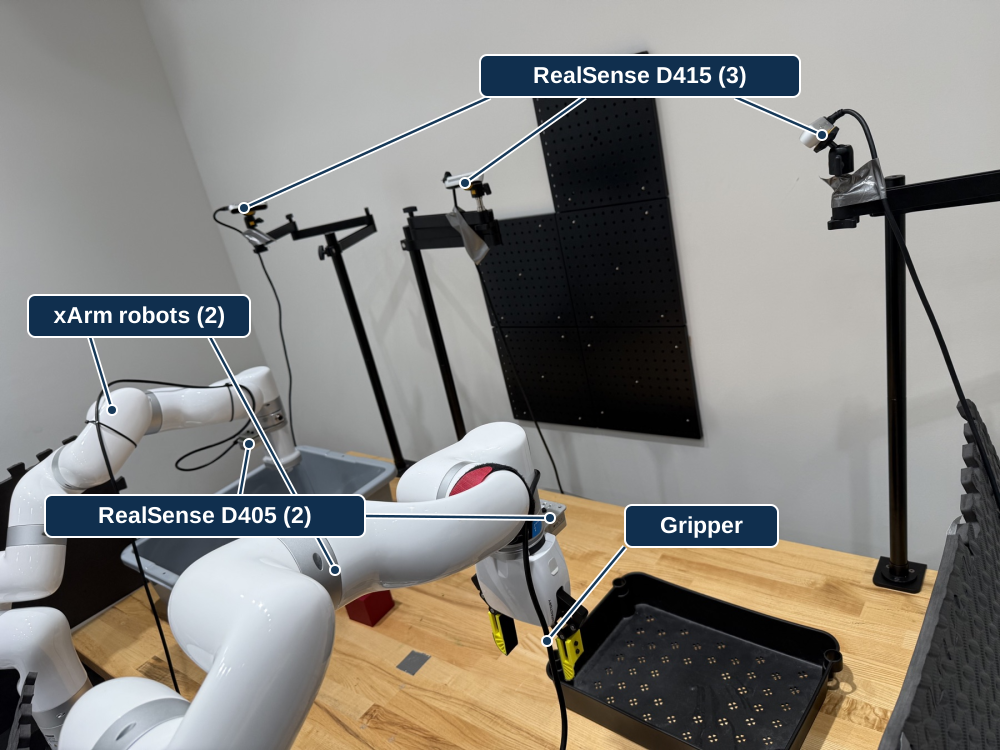
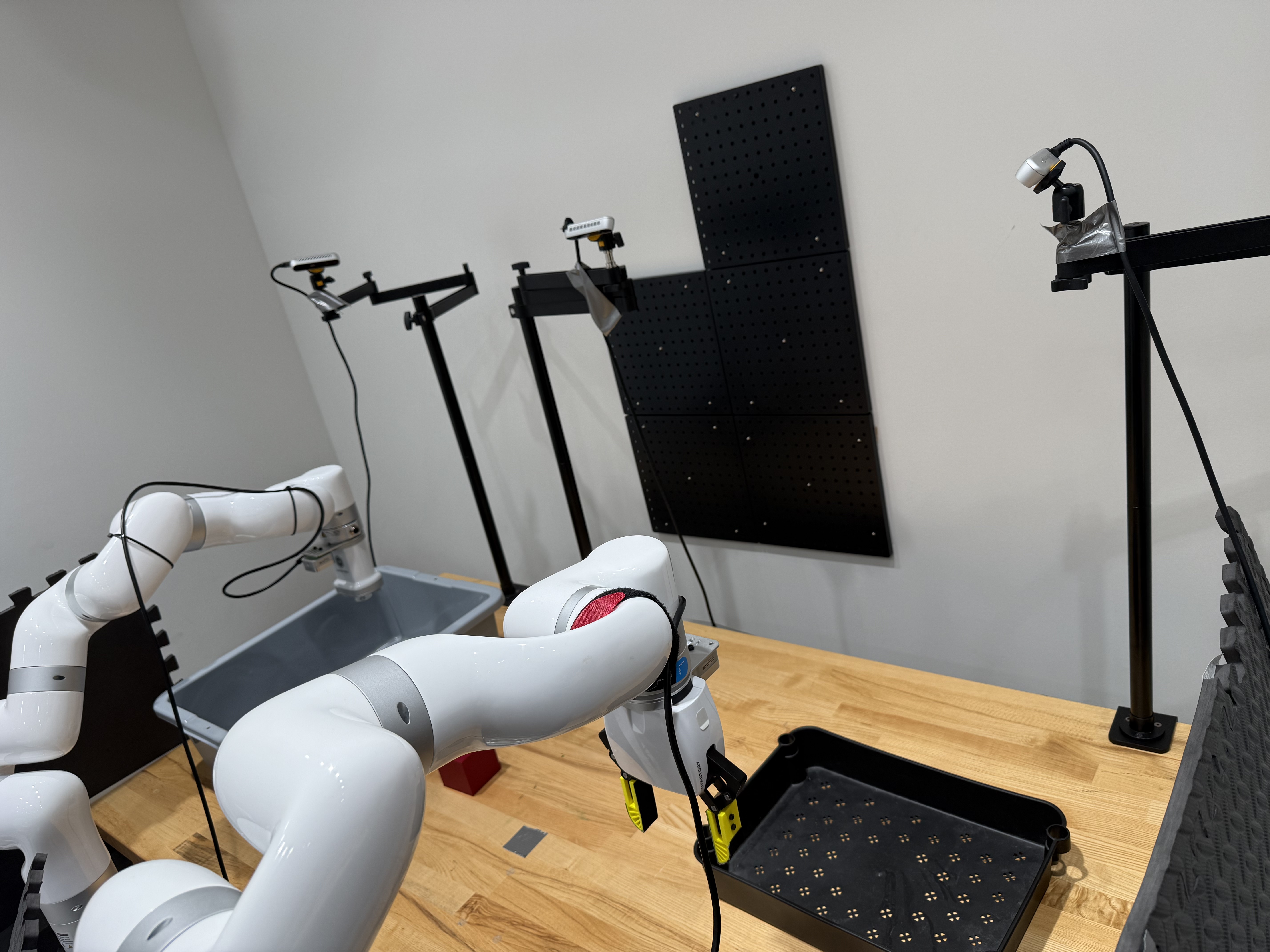
Both xArm robots · Foreground gripper with printed fingers · RealSense D415 (3) on articulated stands · RealSense D405 (2) at the wrists · Black tray and gray task tub. Labels identify parts, not rig A/B.
View full-size image · Source photograph · Earlier view with stands and control boxes
Set up the platform
| Step | Guide | Ready when |
|---|---|---|
| 1 | Equipment and connections | Both arms, cameras, and headsets are mounted, connected, and labeled |
| 2 | Basic software | Vendor tools and device connections are checked |
| 3 | Hardware readiness | The installer has checked the camera views, device identities, and stop controls |
Prepare the shared workstation first. Check rig A and rig B separately before a two-arm session.